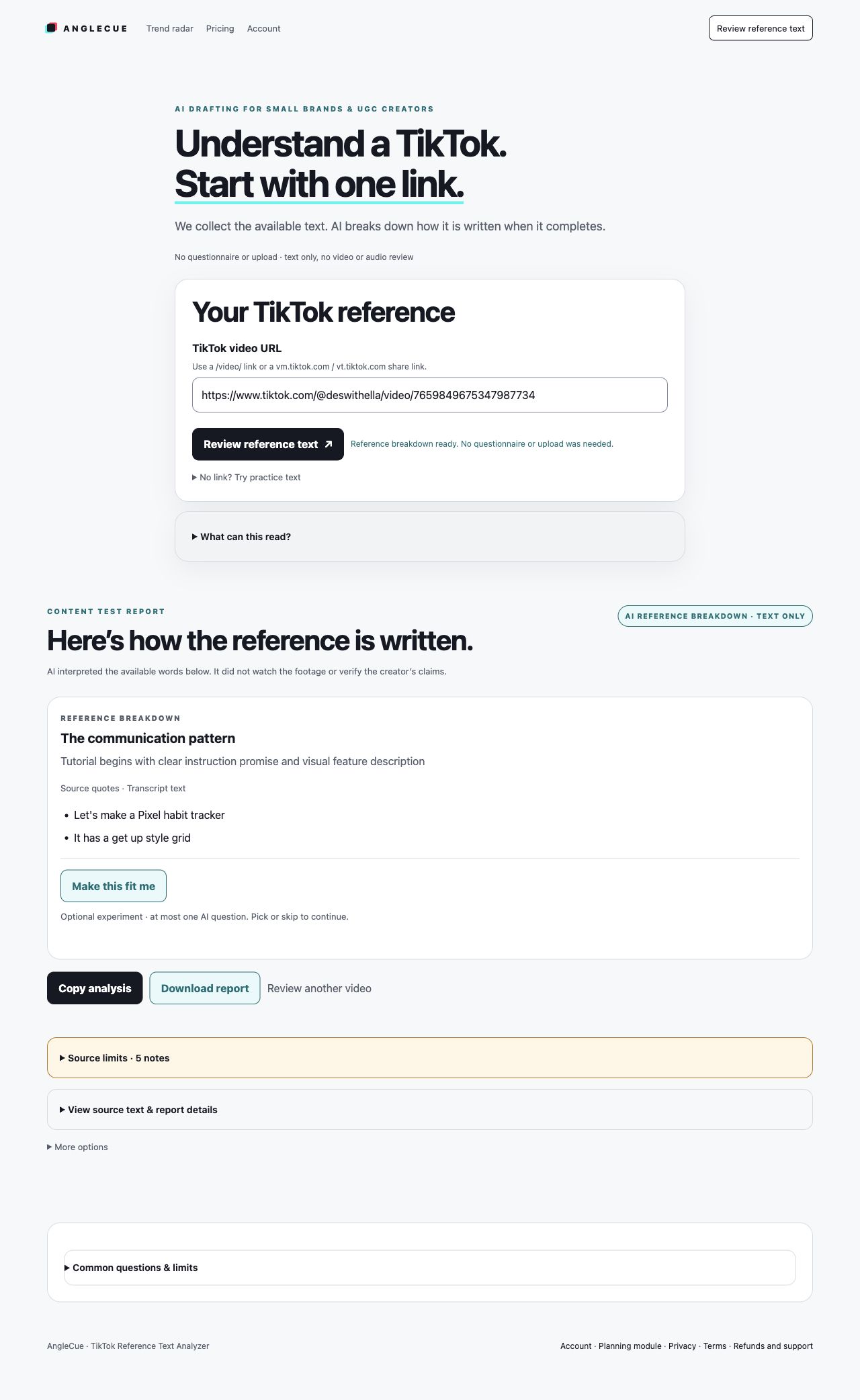
Read and copy the app example, or choose from five timed product video formats. Each pairs words with a shot. Personalizing the physical-product templates is optional.
Our own app · internal AI experiment · not a filmed video or customer result.
Unchanged from our internal brief. AI proposed the opening and performance directions; the supplied product facts stay intact.
Opening
How do you decide which phrases from your reference video will resonate most with your audience?
Product explanation
AngleCue reviews available public TikTok descriptions and published subtitles.
AI explains quoted source passages when its step completes.
It does not review video or audio.
The initial reference review starts with a TikTok link and needs no questionnaire or upload.
Proposed shot: show our supplied result screenshot as it is.
Closing
Open the AngleCue reference tool, paste a public TikTok link, and review the description and any published subtitles that are available.
Original screenshot. Proposed still shot; app actions and performance are unverified.
Read or copy without filling a form. For your own script, start with a reference and a supported product page. Purchases are closed.
Optional: personalize the five product templates
Your product, once
Runs in your browser. Nothing you type is sent anywhere or used by AI; it is only kept on this device so it is still here next time.
Then use “Copy script” under any format.
Optional · AI
Let AI choose a neutral script structure, then add your facts
This step sends your product category, audience and interface language. AI selects angles or a filming sequence from the two choices; reviewed templates supply the words and shots. Your typed product facts stay on this device. Fill the marked demo and evidence slots with real material. This uses one daily AI request; it is not a testimonial or a verified product claim.
1 · Problem → solution
Best when the problem is easy to recognise on camera. 30 seconds; for a 15-second cut keep the hook, demo and call to action.
Hook0–3s
If “[their problem]” sounds like you, watch this.
The problem itself, before the product appears.
[their problem]?
Problem3–8s
This is for [who it's for]. The everyday version: [their problem].
Talk to camera, phone at eye level, natural light.
Demo8–20s
So I started using [product]. It [what it visibly does].
Hands-on demo in one continuous take, product in focus.
Proof20–26s
Don't take my word for it. Watch.
[proof you can film]. Hold the last frame for two seconds.
CTA26–30s
[call to action].
Product in hand; point to where the link or button is.
[call to action]
2 · Demo first
Best when the product does something satisfying to watch. Start in the middle of the action and explain afterwards.
Hook0–2s
This is [product]. Watch.
Open mid-demo: the moment it [what it visibly does].
How2–12s
Step one, step two, done. It [what it visibly does].
Three short cuts, one per step, same angle each time.
Why12–20s
I wanted this because [their problem].
Talk to camera with the product visible in frame.
Proof20–26s
Here it is up close.
[proof you can film].
CTA26–30s
[call to action].
End on the product, not on your face.
[call to action]
3 · Old way vs new way
Best when the difference is visible side by side. Compare against your own previous method rather than a named competitor, unless you can back the comparison up.
Hook0–3s
The old way versus the way I do it now.
Split screen, or a quick cut between the two.
Old way vs new way
Old way3–10s
Before: [their problem].
Your old method shown honestly. No staged disasters.
New way10–20s
Now: [product]. It [what it visibly does].
Same angle and lighting as the old-way shot so the comparison is fair.
Proof20–26s
Same job, side by side.
[proof you can film].
CTA26–30s
[call to action].
Return to the split screen for the last frame.
[call to action]
4 · First impression
Best for creators trying a product for the first time. Only say what you actually observed while filming.
Hook0–3s
First time trying [product]. Let's see if it fixes this: [their problem].
Product still sealed, held up to the lens.
Unbox3–10s
Here's what's in the box.
Top-down; open the package and lay out every item.
First use10–20s
The main test. It says it [what it visibly does].
First real use in one take, including any fumbles.
Take20–26s
One thing I like, and one thing to know before you buy.
[proof you can film].
CTA26–30s
[call to action].
Product next to the packaging.
[call to action]
Paid or gifted? Say so clearly in the video and caption (for example “#ad” or “gifted”) and use TikTok's branded content setting. See the FTC's Disclosures 101 for influencers and TikTok's branded content policy.
5 · Maker story
Best for founders and small brands filming their own product. The making process is the proof that you know it well.
Hook0–3s
I made [product] because [their problem].
You holding the product where it is made or packed.
Origin3–12s
I'm one of the [who it's for] I built it for.
Your workspace, early prototypes or the making process.
Product12–22s
Here's what it does: it [what it visibly does].
Demo; hands only is fine.
Proof22–27s
Here it is for real.
[proof you can film].
CTA27–30s
[call to action].
Back to you and the product.
[call to action]
Before you film
Four things a script can't fake
A demo you can film in one take. If the product only “works” after cuts, pick a different format.
Proof that shows, not tells. A before and after, a timer, a screen recording or a side-by-side.
Claims you can back up. Drop “best”, “#1”, health or money claims and numbers you can't source.
Disclosure. Paid, gifted or affiliate content needs a clear label.
Briefing a UGC creator instead?
Send the beats and timings, not every word; let them say it their way.
List the product facts they must say exactly, and anything they must not claim.
Describe the proof shot you need, since it is the hardest part to reshoot.
Ask for two or three different hooks on the same body so you can compare.
Adapt a TikTok reference instead of a blank template
Paste a public TikTok link. AngleCue reads the description and any subtitles published with it, explains the hook, structure and call to action beside the source quotes, and can then draft a script for your own product page.
Text only: it does not watch the video or hear its audio. One public scan per day in the free experiment; nothing to buy. See a complete AI script sample first.
Questions
What is a UGC script?
A short plan for a creator-style video: what is said, what is shown, and in what order. It is written to sound like one person talking to a phone, so each line comes with the shot that proves it.
Should a UGC creator read the script word for word?
Treat the voiceover lines as a starting point. Keep the beats, the product facts and the proof shot, and say the lines in your own words so it sounds like you.
Is this template free, and does it use AI?
It is free with no signup. The builder runs in your browser and does not send what you type. An optional AI step selects a neutral structure from a product type and audience; controlled templates provide the beats with slots for your actual demo and evidence. AI never sees the typed fields and has a daily free limit. If you want AI to adapt a specific TikTok reference to your product, use the AngleCue reference analyzer, which has a limit of one public scan per day.
Will this script make my video perform?
No template can promise views or sales. It gives you a clear structure and a filmable shot list; test it with your own audience and keep the version that works for you.